

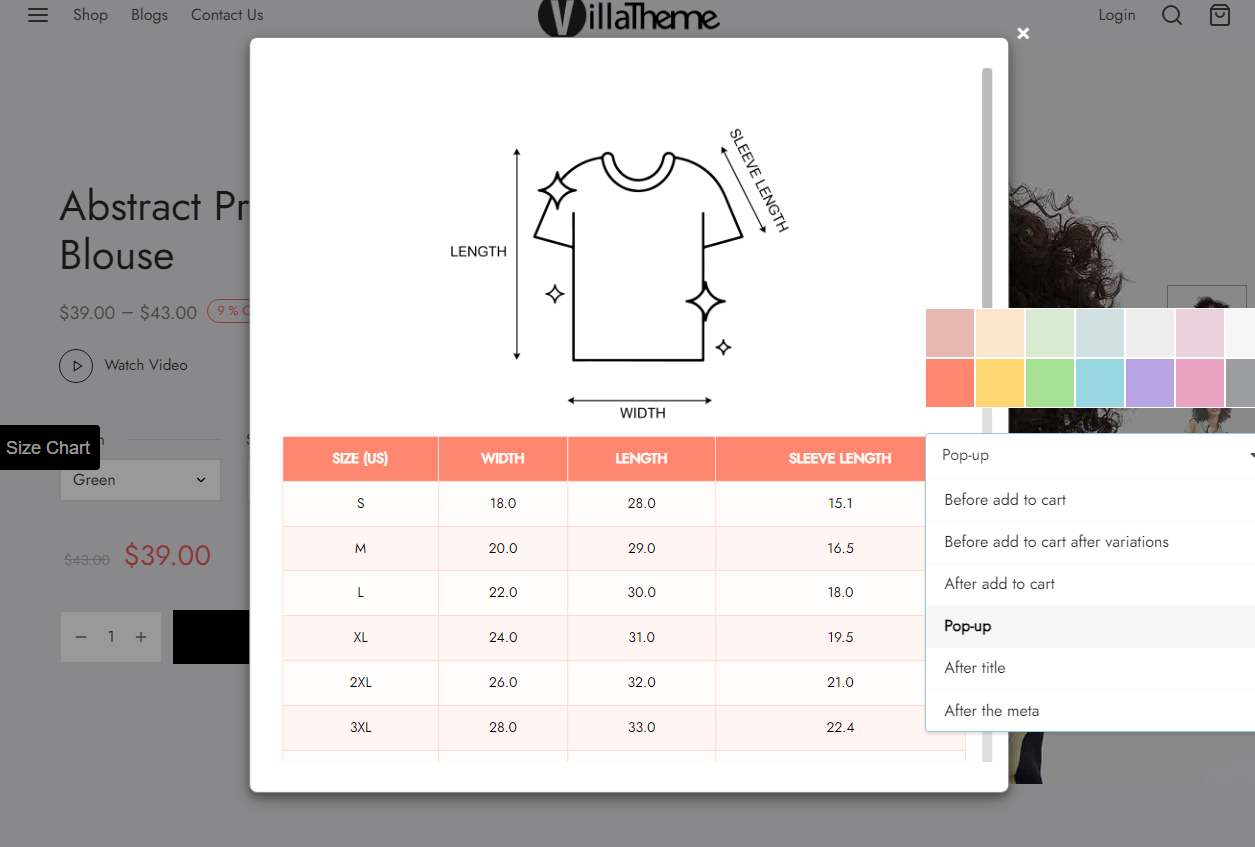
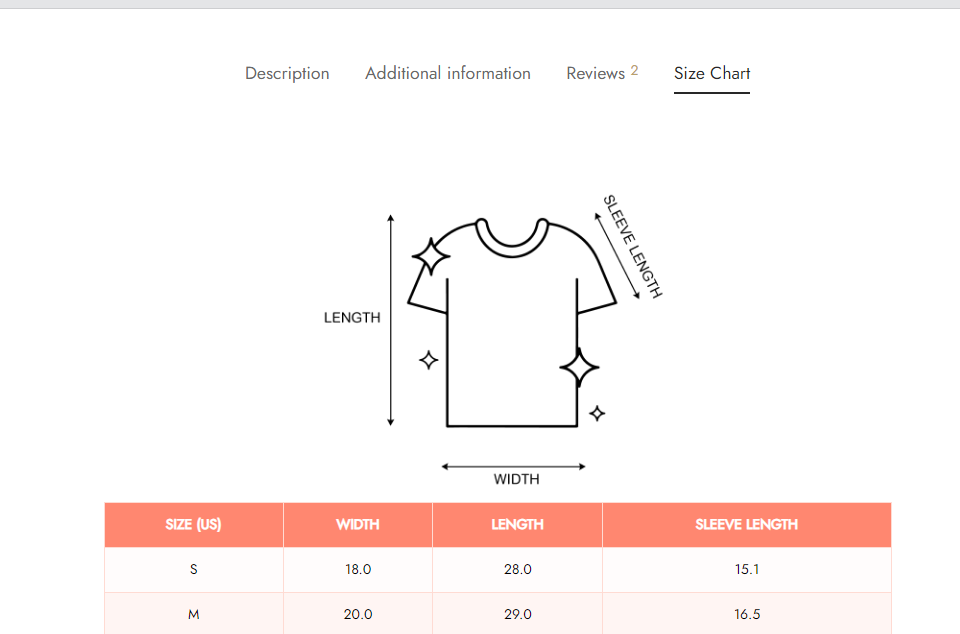

WooCommerce Product Size Chart is a powerful tool that allows you to fully customize and design size charts for your products. You can select from a range of pre-designed templates or create your own, ensuring a seamless fit for your store’s style. WooCommerce Product Size Chart enhances the shopping experience by providing clear and easily accessible size guides, making it simple for customers to find the right fit. By reducing size-related confusion, you can improve customer satisfaction and, in turn, boost sales in your WooCommerce store.
WOOCOMMECE PRODUCT SIZE CHART CORE FEATURES
1. Create size chart templates: You can create a variety of size chart templates for all products on your site with WooCommerce Product Size Chart, ensuring that each product page displays a size chart tailored to the specific needs and preferences of your customers.
2. Rule-Based Size Chart Assignment: Assign size charts dynamically based on a variety of conditions, ensuring the right chart displays for the right customer.
- Assign size charts based on countries: Assign the size chart based on the customer’s location. This is useful when product sizing varies by region or country (e.g., US vs. EU sizes).
- Specify size charts for:
- All products: Apply the size chart to all products in your store. This is ideal if you have a universal size guide that applies to all your items.
- Specific products: Select specific products to assign the size chart to. This is useful if only certain products require a specific size chart.
- Combine: Use combined rules to assign the size chart based on multiple conditions, such as a specific product category, particular product tags and product types… This allows for more granular control over where the size chart appears. Click on the Add condition button to add more combinations.
- Product Type: Assign the size chart based on the product type, such as “Simple Product”, “Grouped product”, “External/Affiliate product”, “Variable Product”, or “Custom product type”. This helps if sizing varies depending on product complexity.
- Product Visibility: You can create and display a size chart based on the product visibility condition using rules that align with how products are categorized and displayed on your website.
- Product Categories: Apply the size chart to all products within a specific category (e.g., Shoes, Clothing, Accessories). This is helpful for organizing size charts by product type.
- Product Tags: Assign the size chart to products that have been tagged with specific labels (e.g., “summer collection,” “new arrival”).
- Product Shipping class: This can be useful if you have different size charts for items that ship differently, such as small vs. oversized products…
3. Size Chart Design Options: Customize your size charts with an array of design tools and templates:
- Create rows and add various components to organize information clearly such as:
- Tabs: Organize information into tabs, useful if you have multiple sizing categories (e.g., Men’s, Women’s, Kids).
- Accordions: This is great for collapsible sections, allowing users to expand and view detailed sizing info as needed.
- Tables: Create a table to clearly list sizes, measurements, and any relevant data.
- Text: Include text blocks to provide explanations, instructions, or extra sizing tips.
- Image: Add visuals like product illustrations, size guides, or charts to help users understand measurements better.
- Dividers: Use dividers to separate different components for a cleaner layout visually.
- Design your own size charts with full control over layout and styling.
- Export & Import size charts via CSV, making bulk creation and updates easy.
- Add your own “Custom CSS” for further styling and brand alignment.
4. Customize Size Chart Templates on Product Page: You can easily customize the size chart templates that are applied to a specific product, giving you full control over how sizing chart is presented on each individual product page.
5. Flexible Display Options: Choose from multiple display formats to best suit your product page layout. Show size charts at a certain position:
- Before add to cart: This option places the size chart before the “Add to Cart” button.
- Before add to cart after variations: This option places the size chart after any product variation options (e.g., color, size, style), but still before the “Add to Cart” button.
- After add to cart: The size chart will appear right below the “Add to Cart” button on the product page.
- Popup: When customers click a link (e.g., “View Size Chart”), the size chart will appear in a popup window.
- Product tab: The size chart will be displayed in its own tab (e.g., “Size Guide”) alongside other tabs like “Description” and “Reviews.
- Top description: The size chart will be displayed at the top of the product description area.
- Bottom description: The size chart will appear at the bottom of the product description.
- After title: The size chart will be placed directly below the product title.
- After the meta: This option places the size chart immediately after the product meta information (such as SKU, categories, and tags). It keeps the size chart near relevant product details.
- None: The size chart will not be displayed on the product page.
6. Interactive Icons for Size Chart Buttons: Customize the button that triggers your size chart with interactive icons, enhancing user engagement.
7. Support for Multiple Size Charts: Manage and display multiple size charts, offering tailored sizing for various product lines.
8. Size Chart Shortcodes: Use shortcodes to easily embed size charts into any section of your website, providing flexibility in how and where you present size charts.
9. Template Selection on Product Editing Page: Select and assign size chart templates directly from the product editing page, simplifying the process of managing size charts across a wide range of products.